Enable TEAMS Read Receipt!
It has come to my attention that some TEAMS accounts are set up incorrectly, and don’t allow for a “read receipt”. Since we use TEAMS as an “instant” way to communicate with one another, it is important that we see who has “read” each message, so that we know everyone has received the message. This also helps us to identify if we need to go to someone else to resolve an issue, if we notice the message continues to be un-read.
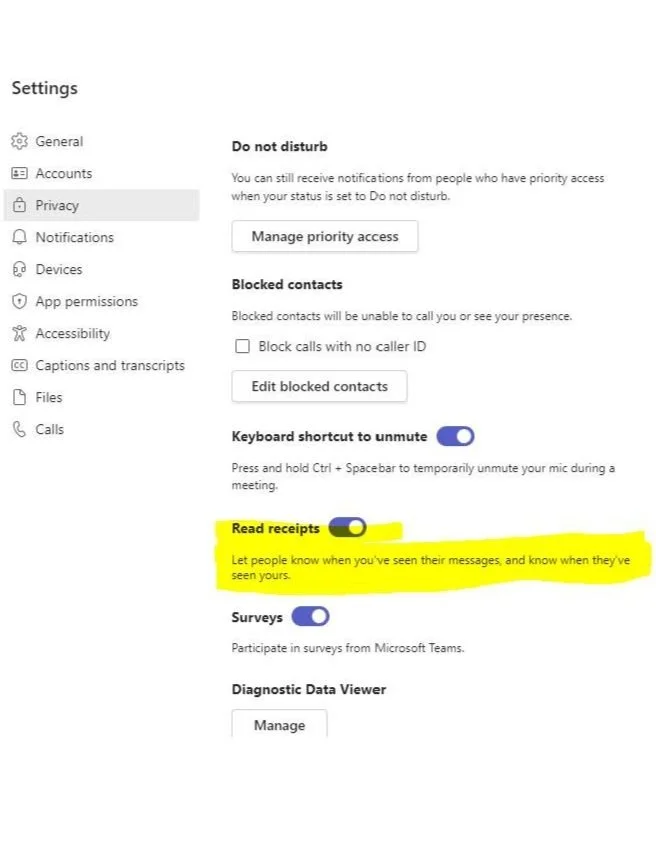
Please take a moment to make sure your TEAMS account has the READ RECEIPT enabled. Here are instructions below:
Click on the Account circle (has initials or a picture in it)
Click on “MANAGE ACCOUNT”
Click on “PRIVACY TAB”
Ensure the READ RECEIPTS is enabled (see highlighted screen shot below):